Announced-spec comparison
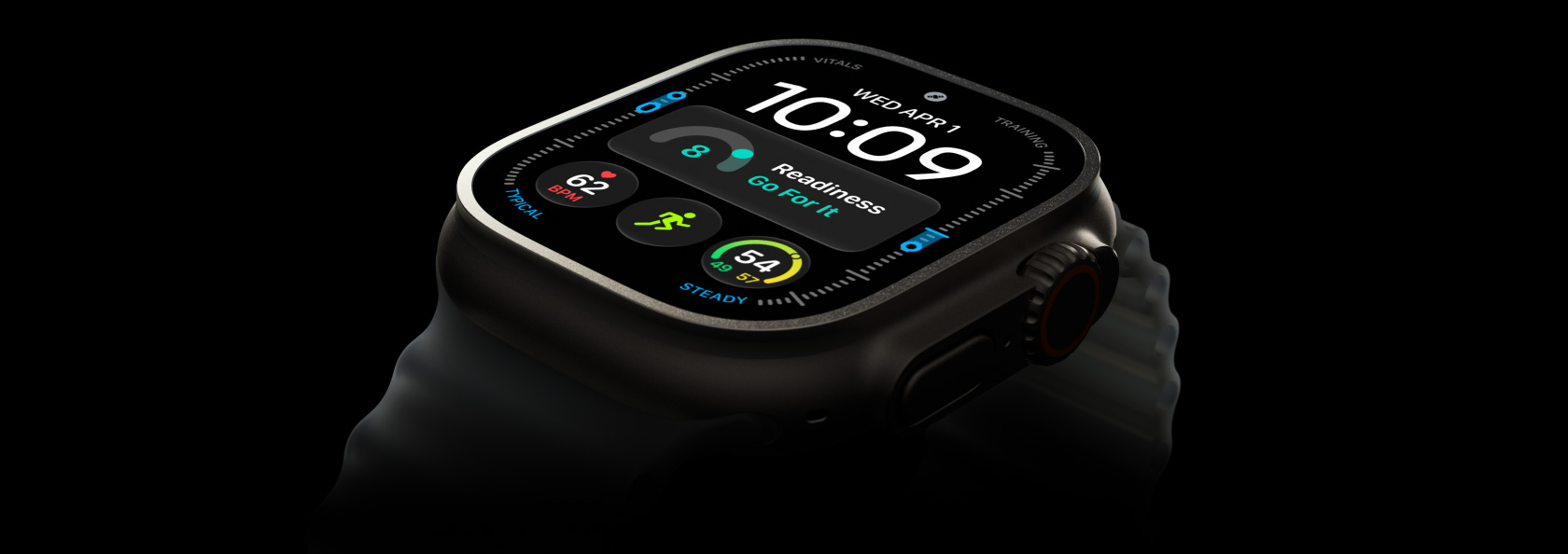
Apple Watch Ultra 4 vs Garmin fēnix 9 Pro.
Apple’s recovery features meet Garmin’s training system. We compare HRV, VO₂ max, battery, maps, and the cost of staying connected.
· 9 min read
Manufacturer specifications, support documents, and owner manuals checked September 11, 2026. Apple Watch Ultra 4 was available for preorder but had not reached stores; Iron & Threads has not tested either watch in this comparison. Editorial methodology.
01 / The buying frame
Start with the exact watches, prices, and launch state.
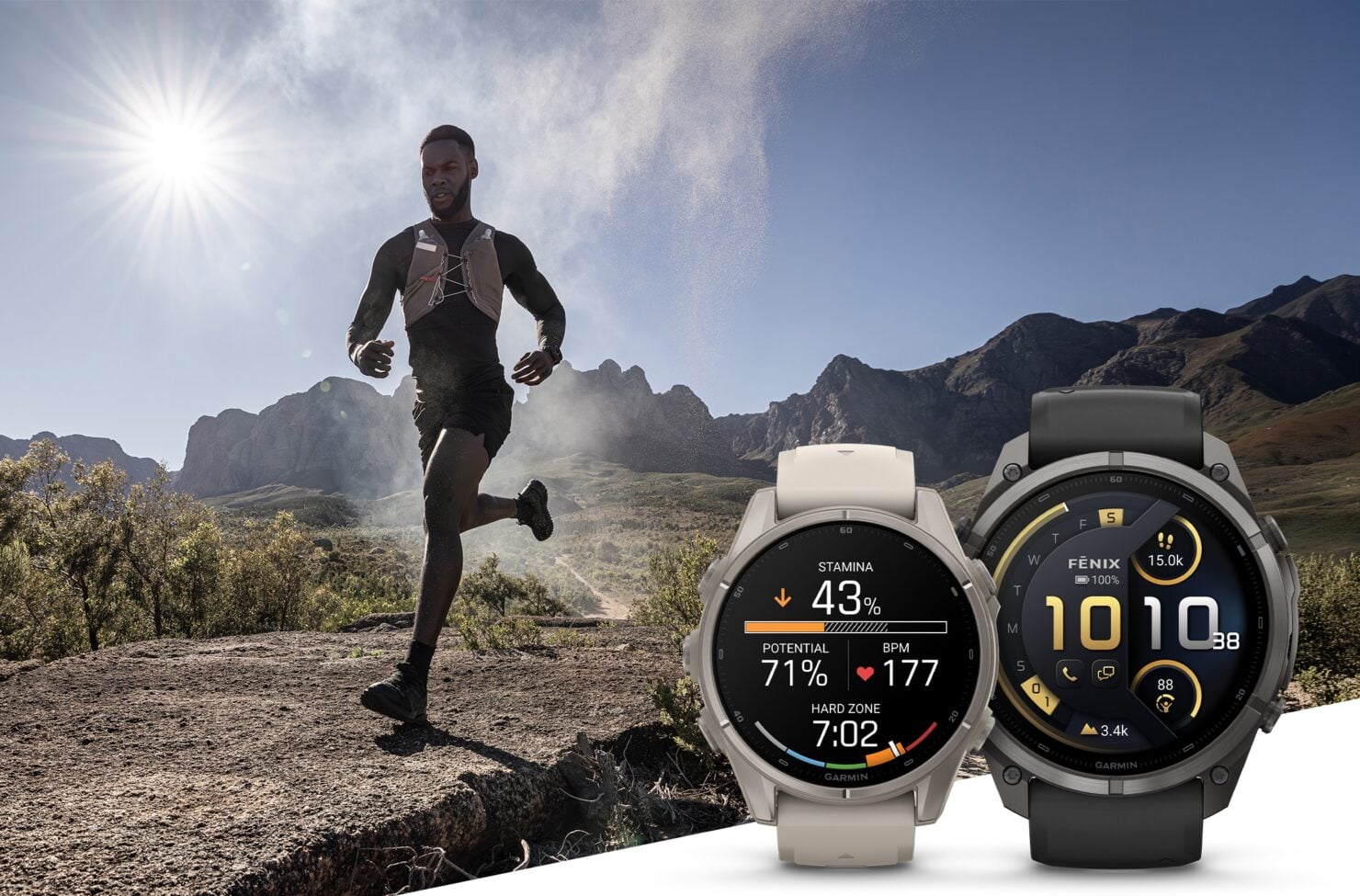
Apple announced Ultra 4 on September 9 at $799 in the U.S., with preorders open and retail availability scheduled for September 18. Garmin announced the fēnix 9 family on August 25. The watch compared here is not the family’s base configuration: it is fēnix 9 Pro – inReach, 51 mm, Titanium with Autumn Orange/Spark Orange Silicone Band, part 010-04337-00, listed at $1,299.99. Those launch facts come from the Apple announcement, Garmin Newsroom, and exact Garmin SKU page.
We use Ultra 4 here because it is Apple’s sport and adventure flagship. Series 12 shares the new Health Sensing System, so choosing the Ultra is a decision about its sport, battery, construction, and connectivity package. The headline health features alone do not require buying Apple’s most rugged watch.
| Decision point | Apple Watch Ultra 4 | Garmin fēnix 9 Pro 51 mm AMOLED inReach |
|---|---|---|
| Price and status | $799; preorder on September 11; stores September 18 | $1,299.99; listed as available; part 010-04337-00 |
| Case | 49 × 44 × 12 mm; Grade 5 titanium | 51 × 51 × 15.8 mm; titanium |
| Weight basis | 63.0 g natural / 63.1 g black, watch | 73 g case only; 99 g with included silicone band |
| Display | 422 × 514 always-on OLED; 1–3,000 nits | 1.5-inch 466 × 466 AMOLED; up to 3,000 nits |
| Phone support | Compatible iPhone with iOS 27 | Compatible iPhone or Android phone |
The hardware table uses manufacturer specifications from Apple and Garmin. The weight gap is useful only on the same basis: Garmin publishes both case-only and band-included values, while Apple lists the watch weight. Fit and feel still require a wrist.
02 / Endurance
Garmin leads the claimed runtime. Mode labels explain what that means.
Garmin’s numbers are substantially longer, but a clean comparison keeps daily use separate from continuous activity tracking. Apple’s daily figures come from mixed-use tests that include time checks, notifications, workouts, sleep, and periods near an iPhone. Garmin’s manual supplies estimates by watch and activity power mode. Neither company ran the other company’s test.
| Use case | Apple Watch Ultra 4 | Garmin 51 mm AMOLED inReach |
|---|---|---|
| Standard watch use | 50 hours, mixed use | 31 days, Smartwatch mode |
| Reduced-power watch use | 84 hours, Low Power Mode | 42 days, Low Power Watch mode |
| Standard outdoor/activity tracking | 18 hours, outdoor workout | 56 hours, Normal or Balanced activity mode |
| Longest listed activity mode | 45 hours, Max Extended Workout | 151 hours, Max Battery activity mode |
| Accuracy-priority activity mode | No separately named rating in Apple’s table | 45 hours, Max Accuracy activity mode |
Apple’s battery page says its 25-hour Extended Workout omits running-form metrics. The 45-hour Max Extended setting also turns off alerts and splits, with some metrics unavailable. Garmin’s battery table and power-mode guide say Extended and Max Battery reduce GNSS accuracy or disable features. The largest number in either column is a setting choice, not free endurance.
03 / Recovery
Both watches interpret recovery. Their scores are not interchangeable.
Apple says Ultra 4 can collect HRV as often as every five minutes by day and night; that is a conditional cadence, not a promise of a valid sample at every interval. Apple presents an overnight, baseline-relative Recovery HRV view and a separate overall view. Its 0–10 Readiness score can change during the day; Apple names recent activity, training load, vitals, and sleep score as inputs in the Ultra 4 announcement. Apple has not published the weighting formula or identified whether the consumer HRV labels use RMSSD, SDNN, or another construction. See the Apple product explanation and our HRV guide before treating the number as a universal unit.
Garmin’s HRV Status is sleep-derived. It requires three weeks of consistent sleep data, then compares a seven-day average with a personal baseline. Garmin’s separate Training Readiness combines last night’s sleep score, recovery time, HRV status, acute load, three-night sleep history, three-day stress history, and recent dive history. It is an algorithmic summary, not a new measurement made that morning.
- Do not compare the raw values across brands. Collection windows, filtering, statistics, baselines, and score formulas can differ even when both screens say HRV or readiness.
- Expect a learning period after switching. Garmin names a three-week HRV setup period; Apple does not publish an equivalent duration. A fresh same-device baseline is more defensible than splicing two histories.
- Use the explanation, not just the score. Sleep, recent work, illness symptoms, alcohol, travel, and sensor fit can all change the context. Neither company says its readiness number is a guarantee of performance.
04 / Capacity
The VO₂ number depends on the sport and the data that earned it.
Apple’s existing Cardio Fitness feature estimates VO₂ max from heart-rate and motion data during qualifying outdoor walks, runs, or hikes; indoor workouts do not generate that estimate. Garmin maintains separate running, cycling, and indoor-rowing estimates. Both are wearable estimates expressed relative to body mass, not laboratory cardiopulmonary exercise tests. Our VO₂ max guide explains why the trend, sport, profile settings, and kilograms in the denominator matter.
| Estimate | Documented acquisition path |
|---|---|
| Apple Cardio Fitness | Qualifying outdoor walk, run, or hike using heart-rate and motion data |
| Garmin running | Outdoor GNSS plus wrist HR or a compatible chest strap |
| Garmin cycling | Heart rate plus a compatible power meter |
| Garmin indoor rowing | Heart rate plus a compatible power meter |
These paths show why sport and sensor inputs matter before two estimates are compared. Apple documents its workflow in Cardio Fitness support, while Garmin documents the estimates in its owner’s manual. Garmin also integrates VO₂ max with Training Status, acute load, load ratio, recovery time, Training Effect, and sport-specific tools. Apple’s new Readiness and training-load presentation is more compact. Readers who want a structured training system should examine zones and load, not choose from one fitness number.
05 / Field workflow
Garmin asks less of the phone before the route starts.
| Workflow | Apple Watch Ultra 4 | Garmin fēnix 9 Pro |
|---|---|---|
| Offline map setup | Save an area or route on iPhone, then sync it to the watch | Preloaded routable maps; TopoActive regions can download over Wi-Fi while on external power |
| Route tools | Follow synced custom routes; Compass waypoints and Backtrack breadcrumbs | On-watch routing, dynamic round-trip routes, TracBack, Back to Start, ClimbPro, NextFork, and Up Ahead |
| External sensors | Bluetooth HR, cycling power, speed, and cadence sensors | ANT+ or Bluetooth HR straps, foot pods, power meters, speed/cadence sensors, trainers, radar/lights, and more |
| Phone platform | iPhone only | iPhone and Android |
Apple’s offline Maps guide supports phone-free use after sync. Garmin’s map manager and product sheet support a more self-contained route system; some premium layers require Outdoor Maps+. Both list multi-frequency or multi-band GNSS, but those labels do not establish which is more accurate on a wooded climb, near tall buildings, or under your settings.
The sensor difference matters most if you already own equipment. Apple documents Bluetooth workout accessories. Garmin’s wireless-sensor manual supports both ANT+ and Bluetooth across more categories. A power-meter-derived cycling estimate or chest-strap reading is an accessory workflow, not evidence that the wrist sensor measured it.
06 / Connection
Both can reach beyond a phone. They do it under different rules.
Ultra 4 supports conventional Apple Watch cellular service: calling, messaging, and data away from the iPhone require a compatible carrier plan. Garmin’s built-in LTE-M has no ordinary phone number. Its phone-free calls run through Garmin Messenger over LTE, and the recipient needs Garmin Messenger or another compatible inReach device. Treating both watches as simply “LTE” hides the purchase decision.
| Question | Apple Watch Ultra 4 | Garmin fēnix 9 Pro inReach |
|---|---|---|
| Service cost | Compatible carrier plan for cellular; satellite features included for two years after activation | Active inReach plan required for LTE-M and satellite, currently from $7.99/month in the U.S. |
| Satellite functions | Emergency SOS, Find My, and Messages, with feature-specific plan and phone conditions | Messenger text/check-ins, SOS, and weather; no satellite voice/photo messages or LiveTrack |
| Satellite footprint | Varies by country, carrier, terrain, and sky visibility | Continental U.S., select Canada, and most Europe; geostationary link unavailable above 65° north |
| Ordinary carrier calls/SMS | Yes, with supported carrier service | No; LTE-M uses Garmin’s data services |
Apple’s announcement footnotes say Find My and Messages via satellite require a carrier plan; SMS via satellite also needs the paired iPhone powered and connected, even when it is not nearby. Garmin’s feature requirements describe the limited-region geostationary link: stop, find open sky, orient the watch, and allow 30 seconds or more in good conditions. Garmin’s manual matrix keeps voice, photo, LiveTrack, and Garmin Locate off the satellite column.
07 / The verdict
Buy for the week you live and the route you actually take.
Ultra 4 is the cleaner fit for an iPhone owner who wants one connected watch. It is smaller, has the lower listed watch-body weight before bands, costs $500.99 less at the stated prices, and is built around familiar carrier calling and messaging. Its health presentation may also suit someone who wants recovery context without Garmin’s deeper training vocabulary. The trade is a shorter charging interval and more iPhone preparation for offline maps and routes.
The fēnix 9 Pro is the stronger fit for long activities and structured training. Its manufacturer ratings leave a large battery margin even before extreme modes, its maps and route tools live more fully on the watch, and ANT+ support preserves more existing sensor kits. It works with Android as well as iPhone. The trade is a larger, heavier, $1,299.99 watch whose inReach connection requires a plan and does not reproduce ordinary cellular-watch service.
- Pick Ultra 4 if ordinary phone-free calls, Apple integration, lower purchase price, and lower case weight solve your daily problem.
- Pick fēnix 9 Pro if missed charging opportunities, on-watch route changes, training-load detail, or ANT+ equipment are recurring constraints.
- Keep your current watch if it already records the workouts you need and has a stable personal baseline. Existing epix owners should read the owner-context comparison before paying to rebuild that history.
- Treat satellite as route-specific backup. Verify region, sky exposure, phone dependence, service plan, and which messages or calls work over the available transport.
Apple’s later-2026 Health app roadmap—including Health Age, Movement Evaluation, and lab purchasing—is covered in our main Apple analysis. It is future software with device, language, region, and eligibility conditions, not a wrist measurement or a reason to declare this hardware winner today. For lab decisions, our Function Health review keeps access, interpretation, and follow-up separate from watch scores.
Before you choose
Does the Garmin fēnix 9 Pro really last longer than Apple Watch Ultra 4?
Garmin publishes much longer up-to ratings: 31 days in Smartwatch mode and 56 hours in Normal or Balanced activity mode for this exact 51 mm AMOLED inReach configuration, versus Apple’s 50-hour mixed-use and 18-hour outdoor-workout ratings. Those are manufacturer tests with different protocols. Garmin does not publish an always-on figure for this exact model, and both brands’ longest workout modes reduce features or accuracy.
Can fēnix 9 Pro inReach replace a cellular Apple Watch?
Not for ordinary carrier calling and SMS. Garmin uses LTE-M for Garmin Messenger calls, messages, and data features and requires an active inReach plan. Its communication-satellite link handles text/check-ins, SOS, and weather in supported regions, but not voice calls, photo or voice messages, or LiveTrack. Apple supports conventional cellular service with a compatible carrier plan; its satellite features have separate conditions.
Which watch has the better HRV and readiness score?
The published specifications do not establish a winner. Apple offers more frequent stated HRV opportunities and a 0–10 Readiness score but does not publish the formula or map its consumer HRV labels to RMSSD or SDNN. Garmin documents a sleep-derived three-week baseline and named Training Readiness inputs. The values should be trended within one system, not compared directly across brands.
Sources & method
This announced-spec comparison uses Apple and Garmin product pages, September 2026 newsroom releases, support documentation, and the August 2026 fēnix 9 owner’s manual. Sources and U.S. prices were checked September 11, 2026. We fixed the Garmin comparison to part 010-04337-00 so family-level price, size, display, solar, and battery figures could not drift into the row. Battery modes were grouped by use case without treating different test protocols as equivalent. Manufacturer claims remain attributed; no hands-on, accuracy, reliability, medical, or outcome verdict is implied. There are no paid purchase links in this article.
- Apple unveils Apple Watch Ultra 4Apple Newsroom · September 9, 2026
Manufacturer announcement for price, preorder and retail timing, workout modes, and satellite footnotes.
- Apple Watch Ultra 4Apple · Accessed September 11, 2026
Manufacturer presentation of HRV, Readiness, navigation, and existing running fitness features.
- Apple Watch Ultra 4 — Technical SpecificationsApple · Accessed September 11, 2026
Dimensions, weight, display, materials, radios, storage, durability ratings, and phone requirements.
- Apple Watch GPS + CellularApple · Accessed September 11, 2026
Carrier-plan and regional conditions for calls, messages, and data away from iPhone.
- Apple Watch BatteryApple · Accessed September 11, 2026
Ultra 4 mixed-use and outdoor-workout ratings, test conditions, and reduced-mode feature limits.
- Use offline maps on Apple WatchApple Support · watchOS 26 guide; accessed September 11, 2026
Phone preparation, watch sync, and supported-region boundary for offline maps.
- Connect Bluetooth accessories to Apple WatchApple Support · Accessed September 11, 2026
Bluetooth heart-rate and cycling-sensor connections documented for Apple Watch.
- Set up Cardio Fitness LevelsApple Support · Accessed September 11, 2026
Existing outdoor walk, run, and hike workflow for Apple’s estimated cardio-fitness value.
- Apple advances health and fitness capabilities using Apple IntelligenceApple Newsroom · September 9, 2026
Later-2026 U.S.-English Health app roadmap and feature dependencies.
- Garmin expands its flagship performance smartwatch lineup with fēnix 9 and fēnix 9 ProGarmin Newsroom · August 25, 2026
Family announcement and launch context; its starting price is not the price of the selected inReach SKU.
- Garmin fēnix 9 Pro – inReach, 51 mmGarmin · Accessed September 11, 2026
Exact part 010-04337-00 price, finish, size, weight, display, platforms, maps, and connectivity.
- Battery Information — fēnix 9 Series Owner’s ManualGarmin · August 2026
The separate 51 mm Pro AMOLED and Pro AMOLED-inReach battery column used here.
- Customizing the Power Mode for an ActivityGarmin fēnix 9 Series Owner’s Manual · August 2026
Feature and GNSS tradeoffs among Normal, Extended, Max Battery, and other activity modes.
- Display and Brightness SettingsGarmin fēnix 9 Series Owner’s Manual · August 2026
Always-on setting and its stated battery and display-life cost; no duration is supplied.
- Heart Rate Variability StatusGarmin fēnix 9 Series Owner’s Manual · August 2026
Sleep-derived HRV status, three-week setup period, seven-day average, and personal baseline.
- Training ReadinessGarmin fēnix 9 Series Owner’s Manual · August 2026
Named inputs to Garmin’s composite readiness score.
- About VO₂ Max. EstimatesGarmin fēnix 9 Series Owner’s Manual · August 2026
Estimate status, relative units, sports, input requirements, and acquisition conditions.
- Wireless SensorsGarmin fēnix 9 Series Owner’s Manual · August 2026
Compatible ANT+ and Bluetooth accessory categories.
- Managing MapsGarmin fēnix 9 Series Owner’s Manual · August 2026
TopoActive Wi-Fi downloads and optional Outdoor Maps+ handling.
- fēnix 9 Pro Feature RequirementsGarmin · Accessed September 11, 2026
LTE-M behavior, communication-satellite coverage, link procedure, and feature limits.
- LTE and Satellite Connected Features for fēnix 9 Pro – inReachGarmin fēnix 9 Series Owner’s Manual · August 2026
Phone, LTE-M, and satellite capability matrix plus active-plan requirement.
- inReach Consumer PlansGarmin · Accessed September 11, 2026
Current U.S. monthly prices, allowances, overages, and LTE inclusions.
- Introducing Apple Watch Series 12, with the all-new Health Sensing SystemApple Newsroom · September 9, 2026
Shared core health sensing across Series 12 and Ultra 4.
See our correction standards and health reporting boundaries.
The system behind the watch